Calculated numbers
Where did it come from?
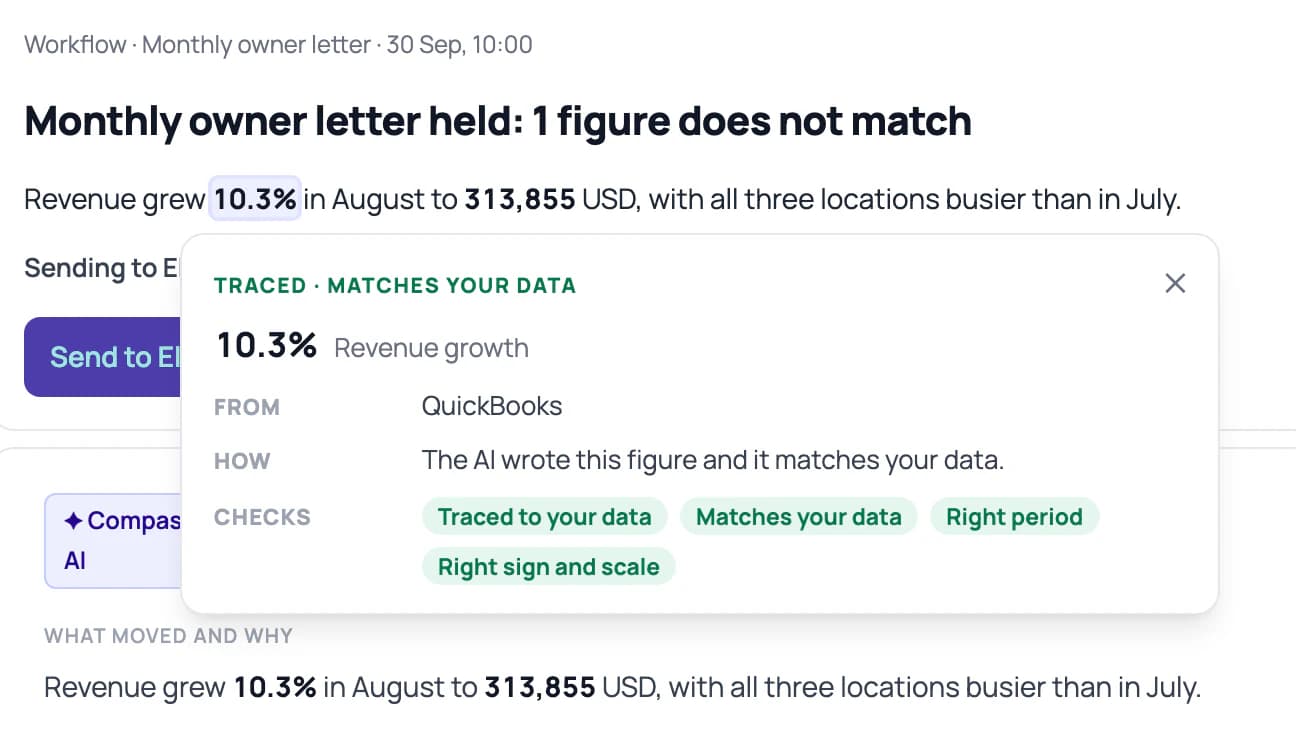
Every figure opens to its definition, inputs and source rows. Runway, gross margin, days to get paid: 34 standard numbers, defined once and the same on Home, in a report, in a workflow and in Claude.
Compass drafts each client's routine work and checks every figure before it reaches you.
For CPAs, fractional CFOs and advisory firms.
Reads the tools your clients already use





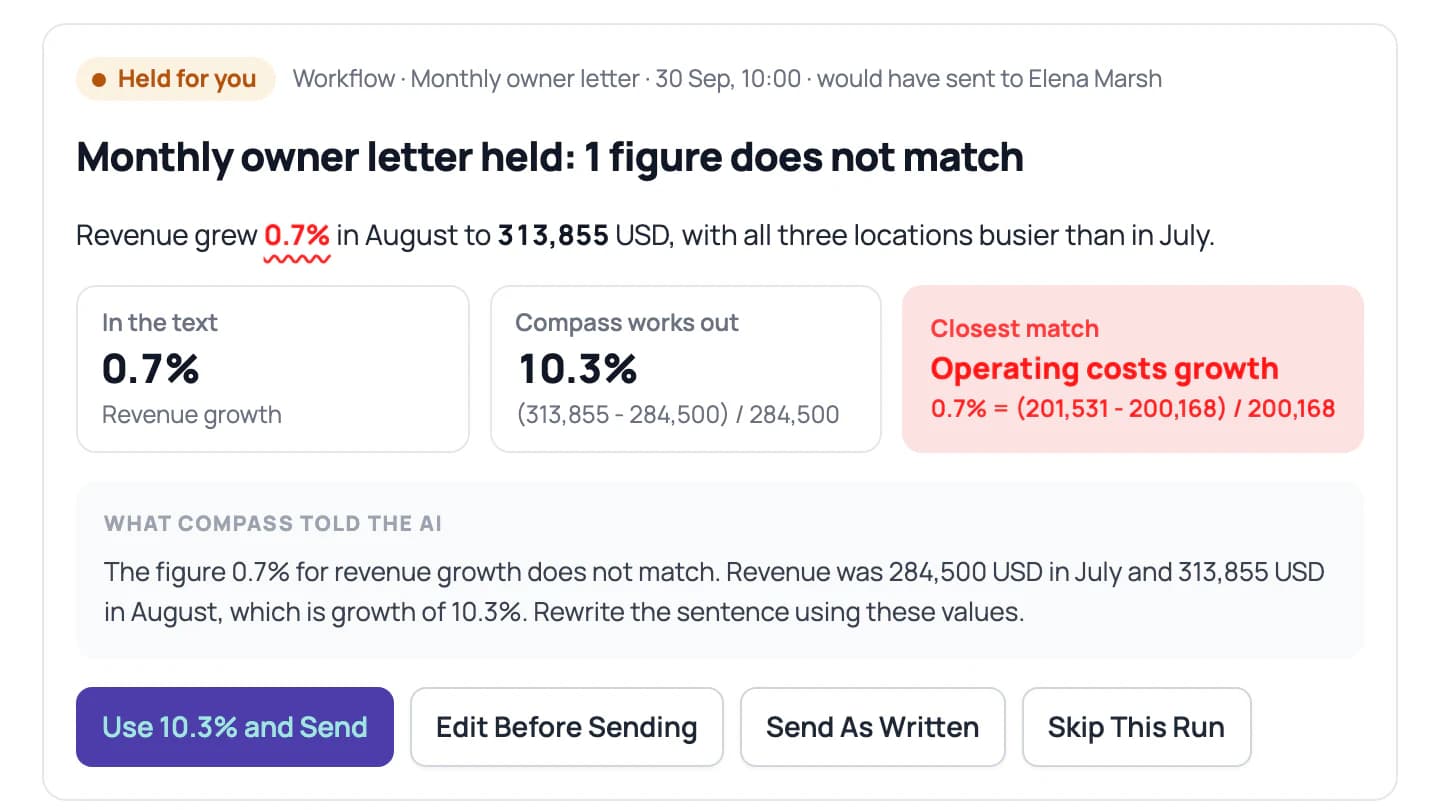
Plus the rest of the catalog's 32 apps, and any spreadsheet as a file. See all integrations →
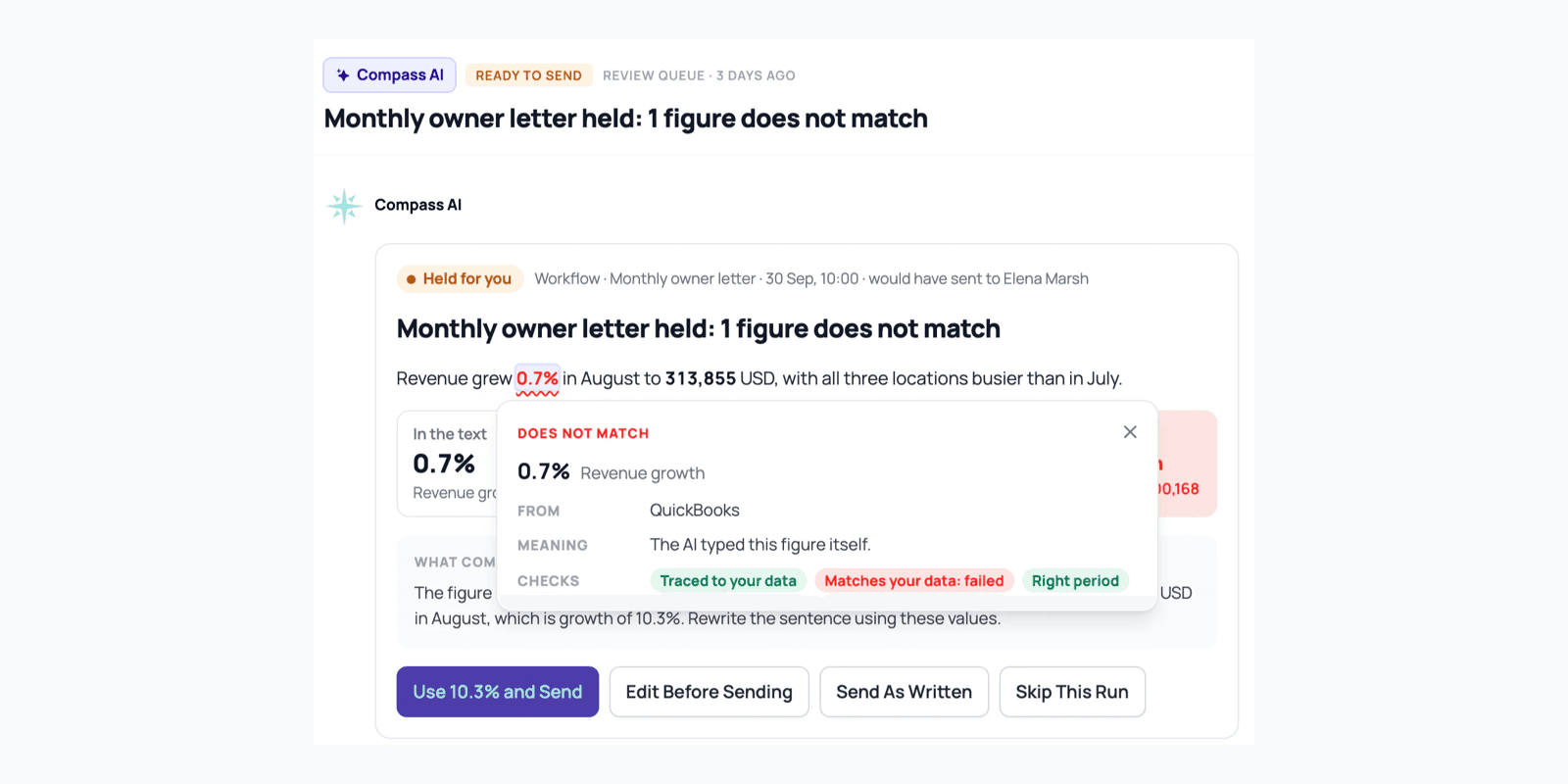
The letter says revenue grew 0.7%. The books say 10.3%. The AI grabbed the wrong number, and the sentence still reads perfectly.
So you check every figure by hand, for every client. Your name is on the letter.

QuickBooks connects directly. Xero, Stripe, Harvest, Notion and the rest of the catalog connect with a key or a sign-in, and any spreadsheet or export comes in as a file. Read-only, and kept current for you.

Turn on skills, and Compass keeps an eye on cash, margins, collections and the books, client by client. Workflows draft the monthly client report, the board update pack and the cash briefing on the schedule you set. Findings reach your Inbox with the rows behind them.

Every figure in a draft is checked against the books before you see it. You approve what goes out, and every change is on the record.
AI usually hands you a number with no way to see where it came from. In Compass, every figure shows its work, and the judgment stays with you.
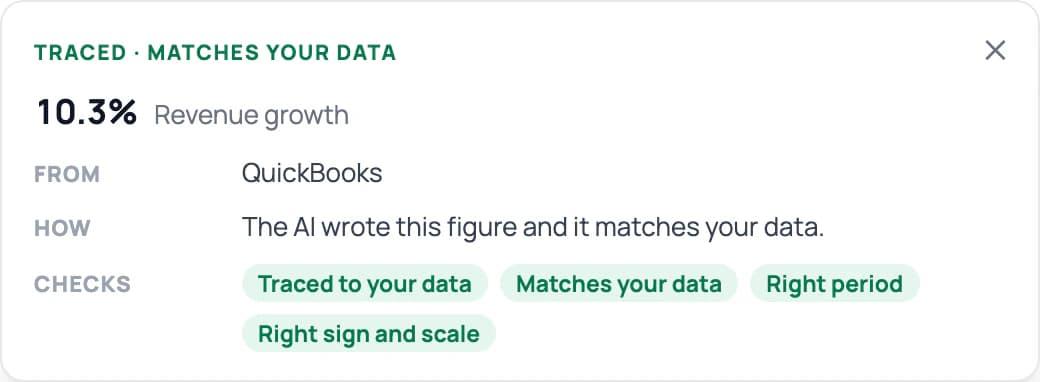
Every figure opens to its definition, inputs and source rows. Runway, gross margin, days to get paid: 34 standard numbers, defined once and the same on Home, in a report, in a workflow and in Claude.
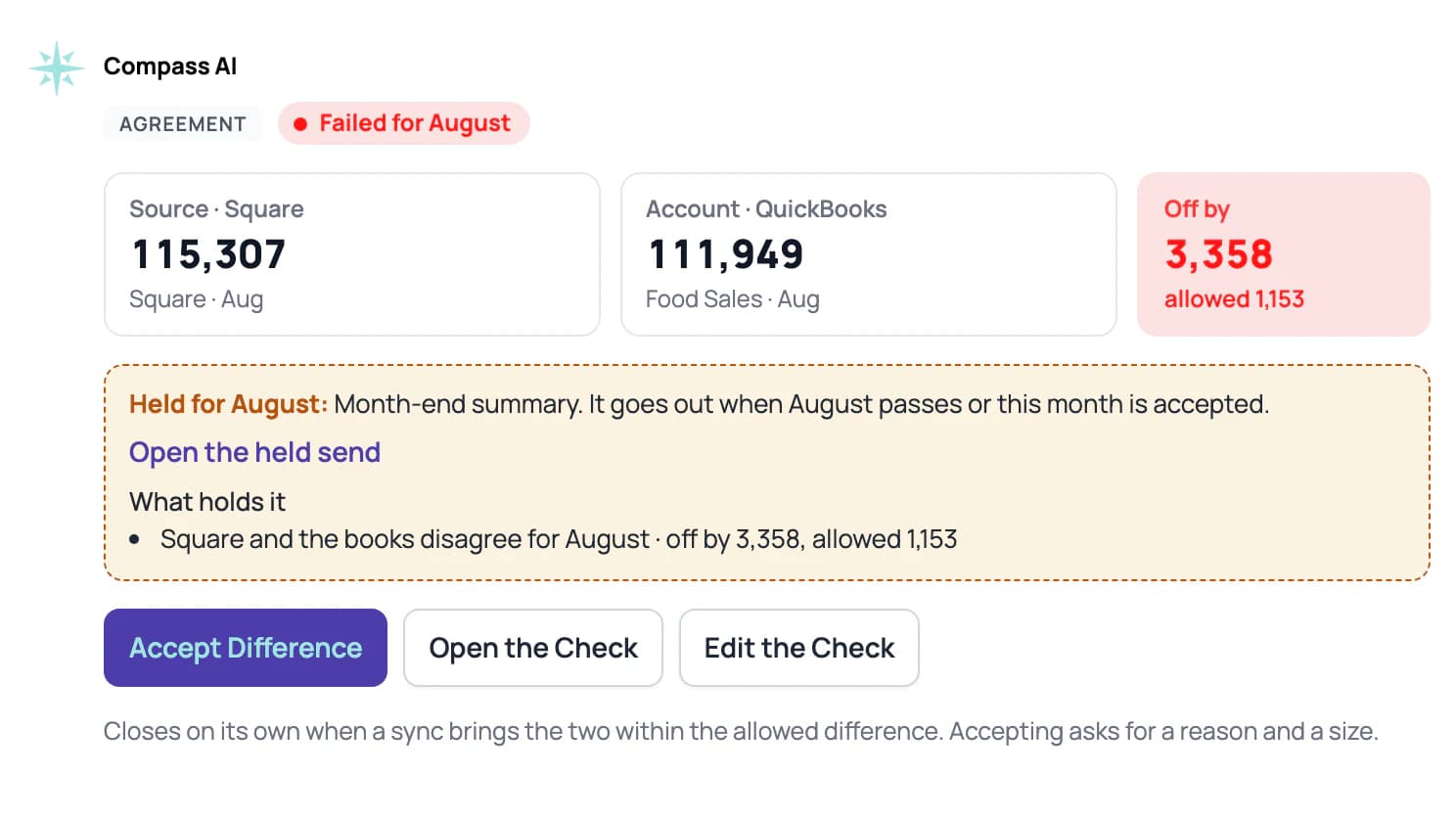
Every figure in an AI draft is compared with the books. A mismatch gets one rewrite, then the draft is held with the figure flagged. Every time new data lands, Stripe, Square payout files and bank files that state a balance are compared with the books too.
Each client's basis, year end and closed month are kept as House rules. Anything the AI had to guess is labeled Assumed, and figures from open months say Preliminary.
Every read and change, by a person, a skill or Claude, lands in Activity with a name on it.
A figure Compass can't trace says Not traced, and a check that can't run says why.
Connect your AI once. It reads the same numbers, definitions and House rules as Compass, each answer carries the company's data checks for the period, and every read lands in Activity under the AI's name. Roles decide what it can reach.

Each client sits on one board with its owner, its stage, the month it's closed through and how its data stands. One firm Inbox holds everything that needs a person. Ask a question across every client, like which ones have under three months of runway, and get one answer that cites the rows it read. Set a condition once and apply it to the clients you pick.
$99 a month for the hub, plus $19 per client company.
Bringing a firm? Book a walkthrough →

Compass really helps us out with tracking our finances, staying on top of expenses, and getting a better insight into our spending. It’s a great substitute for a CFO or freelance financial guidance.
 Kristijan KoraćCTO, PontaHR
It provides 24/7 tracking, predicting where we can save on subscriptions and giving us instant forecasting and reporting. It’s a whole team of AI finance agents that never sleep.
 Arthur WoodsCo-Founder, Out in Tech
Compass AI is a great tool for aiding me in analazying the data that I've provided. It helps me plan future expenses and gives me a good indicator on how to approach with different scenarios.
We watched advisors paste spreadsheets into chat windows, then trace every figure that came back by hand. Compass 2.0 does that tracing for you. Nikola Jakić, founder
Compass is built for CPAs, fractional CFOs and advisory firms who put their name on client numbers, and for the companies they serve. You'll connect accounting data or import it from files. If that's you, the trial gives you every feature for 14 days.
Open any figure to see its definition, inputs and sources. Findings carry their evidence down to the rows. The Checks page shows what passed, what failed and what could not run, with the reason and the history. How Checks work →
The draft waits for you with the figure flagged. Use the correct figure, edit it, send it as written with a reason, or skip it. A workflow set to send on its own falls back to approval.
Compass has an assistant built in, running on Claude. If you already work in Claude or ChatGPT, connect it once and it answers from the same numbers, with every read on the record.
Yes. House rules hold each client's basis, year end, closed-through month, reporting currency, what's worth mentioning, which source wins and who approves. Firm defaults apply to every client, and a client's own rules layer on top.
Pick a plan from $29 per company per month, or walk away. There's no card on file to forget.
QuickBooks directly. Xero, Stripe, Harvest, Notion, HubSpot and the rest of the catalog with a key or a sign-in. Any spreadsheet or export as a file. And Claude or ChatGPT through MCP.
Every feature free for 14 days, then plans from $29 per company per month.
Bringing a firm? Book a walkthrough →